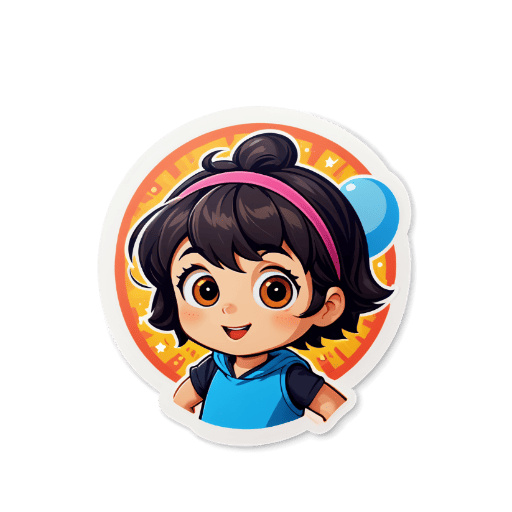
How to Create Telegram Stickers
Upload or Generate
Upload your photo or use AI to generate a sticker from a text prompt.
Customize
Adjust style, add effects, and fine-tune your sticker design.
Export
Download as transparent PNG or WebP format, optimized for Telegram.
Add to Telegram
Open Telegram, go to Stickers, and add your custom sticker pack.
Platform Specifications
Requirements and recommendations for optimal sticker quality
| Dimension | Max File Size | Format | Background | Notes |
|---|---|---|---|---|
| 512x512 pixels | No hard limit (static) | PNG or WebP | Transparent | Static: one side must be exactly 512 px, the other side must be 512 px or less. 100×100 px WebP for emoji slot. |
| 512x512 pixels | ≤ 256 KB | WebM (VP9) | Transparent | Video stickers: up to 3 seconds, up to 30 FPS, must not contain an audio track. |
| 512x512 canvas | ≤ 64 KB (after rendering) | TGS (Lottie) | Transparent | Animated: up to 3 seconds, must loop seamlessly, 60 FPS. Made with After Effects + Bodymovin-TG plugin. |
Telegram Sticker Size: 512×512 Explained
Telegram requires every sticker to fit a 512×512 pixel box. At least one side must be exactly 512 px; the other side must be 512 px or less (Telegram sets no lower bound). Static stickers in PNG or WebP have no hard file size limit — only the 512×512 geometry is enforced. Stickers that don't match this geometry are rejected by the @Stickers bot, so exporting at the correct size is the single most common reason a pack fails to publish.
How to Make a Telegram Sticker Pack
A Telegram sticker pack can hold up to 120 stickers — 1 icon (a 100×100 WebP) plus up to 119 regular stickers. To publish one, open Telegram, message @Stickers, then send /newpack and follow the prompts: each sticker gets a name in the format packname_001.png, packname_002.png, and so on. Static stickers (PNG/WebP), video stickers (WebM), and animated stickers (TGS) go in separate packs — you can't mix them.
Download & Convert Telegram Stickers
Once a sticker is generated, download it as PNG (universal compatibility) or WebP (smaller file size). Static stickers in either format have no hard file size limit from Telegram — the 512×512 geometry is the only constraint. Both formats keep the transparent background that Telegram needs. The exported file can go straight into @Stickers without re-encoding — no resize, no format conversion, no background fixup required.
Telegram Animated Stickers: TGS & WEBM
Telegram accepts two kinds of motion stickers, each with hard production limits that rule out most AI tools out of the box. Video stickers use .WEBM with the VP9 codec, must be exactly 512 px on one side (the other ≤512 px), 3 seconds or less, 30 FPS or less, ≤256 KB, and must not contain an audio track — audio is the most common rejection reason. Animated stickers use .TGS, a Lottie-derived format Telegram invented: a 512×512 canvas, 3 seconds or less, must loop seamlessly, 60 FPS, and the rendered file must be ≤64 KB. TGS can't be authored by hand — you build it in After Effects with the official Bodymovin-TG plugin, and that plugin silently drops many AE features Telegram rejects (Auto-bezier keys, Expressions, Masks, Layer Effects, 3D Layers, Repeaters, Time Remapping, and others listed in the plugin README). Most AI image and video generators output files that exceed the size budget or contain audio; getting an AI-generated motion sticker through @Stickers on the first try is rare.
Key Features
AI-Powered Design
Generate unique sticker art from text prompts using state-of-the-art AI image generation, or upload your own photos to transform.
Transparent Background
All stickers are exported with transparent PNG or WebP backgrounds, ready to use in Telegram without any white box around them.
Perfect Dimensions
Automatically optimized to the exact 512×512 pixel format Telegram requires, ensuring your stickers display perfectly every time.
Fast Generation
Get your sticker in seconds. Our AI processes your request quickly so you can iterate and create entire packs without long waiting times.
Free Daily Credits
Start creating without payment using free daily AI sticker credits. Buy more credits only when you need extra generations.
Multiple Styles
Choose from kawaii, chibi, anime, pixel art, and more styles to match your Telegram community's personality and vibe.
Telegram stickers are one of the most expressive ways to communicate on the platform, and with Sticker Crafter you can design your own in minutes. Unlike other tools that require design skills or expensive software, our AI handles all the creative heavy lifting. Simply describe what you want — a kawaii cat, a chibi version of your pet, or an anime-style character — and the AI generates a polished sticker ready for Telegram. Every sticker is exported at the required 512×512 pixel resolution with a transparent background, so you can add it directly to your sticker pack through Telegram's @Stickers bot. Whether you're building a personal sticker pack, creating custom emotes for your group chat, or designing themed sets for a community, Sticker Crafter gives you the tools to bring your ideas to life without any graphic design experience.
Who Uses This Tool
Personal Expression
Turn yourself, your pet, or your favorite characters into personalized Telegram stickers that your friends and family will recognize and love.
Community Sticker Packs
Create themed sticker packs for Telegram groups and channels — from gaming communities to fan clubs, give your community a unique visual identity.
Business Branding
Design branded stickers featuring your mascot, logo art, or product characters to share in business Telegram channels and boost brand recognition.
Event & Holiday Stickers
Create timely sticker sets for holidays, celebrations, or special events. With fast AI generation, you can have a fresh seasonal pack ready in minutes.
Example Telegram Stickers

Frequently Asked Questions❓
Telegram stickers are 512×512 px on at least one side, with the other side 512 px or less — Telegram sets no lower bound. Telegram supports three formats: static stickers in PNG or WebP with no hard file size limit; video stickers in WebM (VP9) up to 3 seconds, 30 FPS, ≤256 KB, no audio track; animated stickers in TGS (Lottie-derived) up to 3 seconds, must loop, ≤64 KB after rendering. Transparent backgrounds are required.
Our tool automatically exports stickers with transparent backgrounds. Simply select PNG or WebP format when downloading.
Create multiple stickers, then use Telegram's built-in sticker pack creator to combine them into a pack. You can add up to 120 stickers per pack.
Yes! Upload any photo and our AI will convert it into a sticker style with transparent background.
WebP offers better compression and smaller file sizes, while PNG is more widely compatible. Both work perfectly with Telegram.
Related Tools
Explore more sticker creation tools