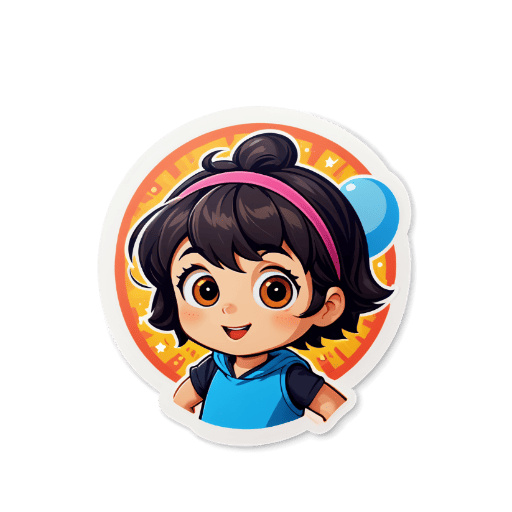
How to Create WhatsApp Stickers
Upload or Generate
Upload your photo or use AI to generate a sticker from a text prompt.
Customize
Adjust style, add effects, and fine-tune your sticker design.
Export
Download as transparent PNG format, optimized for WhatsApp.
Add to WhatsApp
Use WhatsApp's sticker maker app or add stickers directly through the app.
Platform Specifications
Requirements and recommendations for optimal sticker quality
| Dimension | Max File Size | Format | Background | Notes |
|---|---|---|---|---|
| 512x512 pixels | 100 KB target per sticker | WebP | Transparent | Pack export includes tray icon 96x96 and manifest.json |
Key Features
AI Sticker Generation
Describe any character or scene and our AI creates a custom WhatsApp sticker in seconds — no drawing skills needed.
Transparent PNG Export
Every sticker is exported as a transparent PNG at 512×512 pixels, meeting WhatsApp's exact technical requirements.
Photo to Sticker
Upload a photo of yourself, your pet, or any subject, and AI transforms it into a stylized sticker with transparent background.
Multiple Art Styles
Choose from kawaii, chibi, anime, cartoon, and more styles to give your WhatsApp stickers a distinctive, personalized look.
Instant Download
No waiting, no email verification. Generate your sticker and download it immediately — ready for WhatsApp in under a minute.
Free Daily Credits
Try WhatsApp sticker generation with free daily credits. Add a credit pack only when you need more AI generations.
WhatsApp stickers are a fun and personal way to express yourself in chats, and Sticker Crafter makes creating custom ones effortless. The platform combines advanced AI image generation with automatic background removal, so you can go from an idea to a ready-to-use WhatsApp sticker in just a few clicks. WhatsApp requires stickers to be exactly 512×512 pixels in PNG format with transparent backgrounds — and our tool handles all of that automatically. You can create stickers from text prompts describing your ideal design, or upload a photo and let AI stylize it. Once you've created your stickers, add them to WhatsApp using the Sticker Maker app available on iOS and Android, which lets you group stickers into packs and share them with contacts. From inside jokes with friends to branded sticker packs for business groups, the creative possibilities are endless.
Who Uses This Tool
Friend Group Stickers
Create funny, relatable stickers based on inside jokes or shared moments for your WhatsApp friend groups — much more personal than generic emoji.
Family Sticker Packs
Design stickers featuring family members, pets, or beloved characters to share in family group chats and make conversations more lively.
Brand & Business Messaging
Promote your brand on WhatsApp Business with custom mascot stickers, product art, or promotional designs that keep your brand visible.
Fan Communities
Create stickers based on your favorite shows, games, or artists to share with fan communities and WhatsApp groups dedicated to shared interests.
Example WhatsApp Stickers



Frequently Asked Questions❓
WhatsApp stickers should be 512x512 pixels in PNG format, with a maximum file size of 100 KB. Transparent backgrounds are required.
Our tool automatically exports stickers with transparent backgrounds in PNG format, perfect for WhatsApp.
Create multiple stickers, then use WhatsApp's sticker maker app to combine them into a pack. Each pack can contain multiple stickers.
Yes! Upload any photo and our AI will convert it into a sticker style with transparent background.
Download the WhatsApp Sticker Maker app (iOS/Android), import your sticker images, create a pack of at least 3 stickers, and add it to WhatsApp from within the app.
Generate at least 3 stickers, choose Build pack, then download the zip. It includes WebP stickers, tray.webp, and manifest.json so a sticker pack importer can read the pack metadata directly.
Anonymous users get free daily AI sticker credits. Sign in for account credits or buy a one-time credit pack when you need more generations.
Related Tools
Explore more sticker creation tools