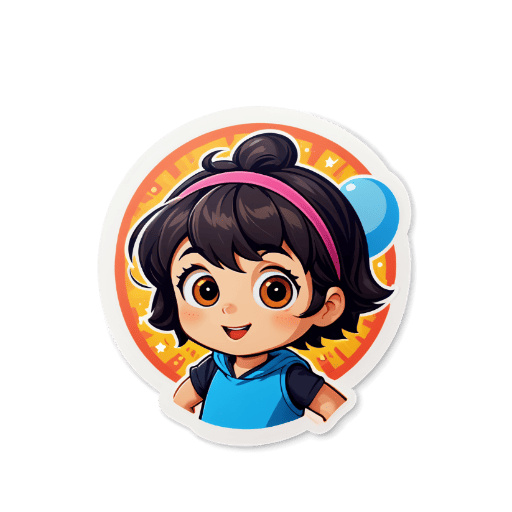
Create Multiple Stickers
Generate or upload multiple stickers with consistent style and theme.
Organize
Group your stickers into a cohesive pack with matching style and colors.
Export Pack
Download all stickers as a pack in ZIP format or individual files.
Share
Share your sticker pack on messaging apps or social media.
Key Features
Cohesive Pack Design
Create multiple stickers with consistent style, color palette, and theme to build a professional sticker pack that feels intentional and polished.
AI-Powered Consistency
Use consistent prompt patterns across your sticker pack generation to ensure all pieces share the same artistic style and visual identity.
Platform-Ready Formats
Every sticker is exported as a transparent PNG optimized for Telegram (512×512px), WhatsApp (512×512px), and Discord (320×320px) sticker packs.
Fast Bulk Creation
Generate sticker after sticker quickly. Build a complete 10-30 sticker pack in a single session without any slowdown or waiting times.
Theme Flexibility
Create themed packs: kawaii animals, chibi characters, food emojis, travel stickers, seasonal holiday sets — any theme you can imagine.
Free Sticker Pack Creation
Build complete sticker packs without any subscription or payment. Download each sticker individually and assemble your pack.
A great sticker pack is more than a collection of random images — it's a curated set of stickers that share a consistent visual identity, theme, and emotional range. The best sticker packs on Telegram, WhatsApp, and LINE have a recognizable character or aesthetic, cover the most common emotional expressions (happy, sad, excited, surprised, loving), and feel like they belong together. Sticker Crafter helps you achieve this by generating AI stickers that you can systematically design around a theme. Start by defining your pack's concept: a kawaii animal character, a chibi version of yourself, a food-themed emoji set, or a holiday-specific collection. Then generate stickers with consistent prompt patterns to ensure visual cohesion. Telegram allows up to 120 stickers per pack, WhatsApp supports packs of any size, and Discord servers can have up to 60 server stickers. Plan your pack size based on the variety of emotions and situations you want to cover.
Who Uses This Tool
Personal Character Packs
Create a full sticker pack featuring an original character — your fursona, mascot, or chibi self — in dozens of different poses, emotions, and situations.
Selling on Telegram & LINE
Design premium sticker packs to publish on Telegram's official sticker store or LINE's creator marketplace, where top creators earn significant passive income.
Community & Brand Packs
Create official sticker packs for your Discord server, Telegram channel, or brand community — unique digital merchandise that strengthens community identity.
Holiday & Seasonal Sets
Design timely sticker packs for Christmas, Halloween, Valentine's Day, and other occasions — seasonal sticker packs are consistently high-traffic in sticker stores.
Frequently Asked Questions❓
You can create packs with any number of stickers. Most messaging apps support packs with 8-120 stickers.
While you can mix styles, it's recommended to keep a consistent style and theme within a pack for better visual cohesion.
After creating multiple stickers, you can download them as a ZIP file or export individual files for manual organization.
Create your stickers, then message @Stickers on Telegram. Use the /newpack command to start, /addsticker to add each PNG file, and /publish to finalize your pack.
Successful sticker packs have a consistent visual style, cover a range of emotions and reactions, feature an appealing character or theme, and include at least 10-20 stickers so users always find one that fits.
Related Tools
Explore more sticker creation tools