How to Create Discord Stickers
Upload or Generate
Upload your photo or use AI to generate a sticker from a text prompt.
Customize
Adjust style, add effects, and fine-tune your sticker design.
Export
Download as transparent PNG format, optimized for Discord.
Add to Discord
Open Server Settings, choose Stickers, upload your 320x320 PNG, add a name and emoji, then save it for your community.
Platform Specifications
Requirements and recommendations for optimal sticker quality
| Dimension | Max File Size | Format | Background | Notes |
|---|---|---|---|---|
| 320x320 pixels | 256 KB | PNG | Transparent | Static sticker export targets Discord server sticker uploads |
Key Features
AI-Generated Server Stickers
Create unique Discord stickers from text prompts — describe your server's mascot, inside jokes, or favorite memes and AI brings them to life.
Transparent Background
All stickers are exported with transparent PNG backgrounds at 320×320 pixels, the exact format Discord requires for server stickers.
Expressive Styles
From kawaii and chibi to meme-ready cartoon styles, choose the aesthetic that fits your Discord server's personality and culture.
Photo Conversion
Transform photos of community members, pets, or characters into server stickers that your Discord members will instantly recognize.
Quick Turnaround
Generate Discord stickers in seconds, not hours. Iterate quickly to find the perfect design without waiting for a designer.
Free Daily Credits
Server admins can test sticker ideas with free daily credits, then buy a one-time credit pack for more generations.
Discord server stickers let your community members express themselves in a way that's unique to your server — far more personal than standard emoji. Sticker Crafter helps Discord server admins and members design custom stickers that capture their community's humor, culture, and identity. Our AI generates stickers from simple text descriptions, so you don't need to be an artist or hire a designer. Discord stickers must be 320×320 pixels in PNG or APNG format, and our tool automatically exports to that specification with transparent backgrounds. Once downloaded, simply go to your Discord server settings, navigate to Stickers, and upload your custom creations. Note that server stickers require Nitro for servers without a boost level — Level 1 servers get 15 slots, Level 2 gets 30, and Level 3 gets 60 sticker slots.
Who Uses This Tool
Server Mascot Stickers
Design a series of stickers featuring your server's mascot in different poses and expressions — the ultimate way to build community identity on Discord.
Meme & Reaction Stickers
Create stickers based on your server's best memes and recurring jokes. Custom reaction stickers make conversations funnier and more engaging.
Gaming Community Stickers
Design stickers themed around your favorite games, featuring game characters, items, or inside references that resonate with your gaming community.
Event & Celebration Stickers
Create limited-time stickers for server anniversaries, gaming tournaments, or special community events to mark memorable moments.
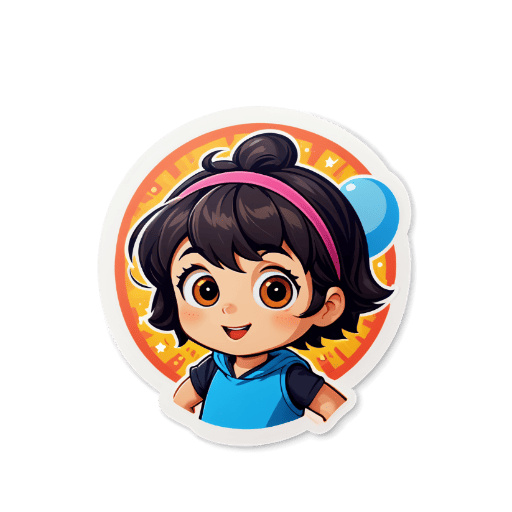
Example Discord Stickers
Frequently Asked Questions❓
Discord stickers should be 320x320 pixels in PNG or APNG format, with a maximum file size of 500 KB. Transparent backgrounds are recommended.
Our tool automatically exports stickers with transparent backgrounds in PNG format, perfect for Discord.
Discord supports APNG format for animated stickers. You can create static PNG stickers with our tool.
Yes! Upload any photo and our AI will convert it into a sticker style with transparent background.
Server members need Discord Nitro to use server stickers in other servers. However, you can always use stickers in the server where they were added, regardless of Nitro status.
Discord servers start with 5 sticker slots. Level 1 boosted servers get 15 slots, Level 2 gets 30 slots, and Level 3 gets 60 sticker slots for custom stickers.