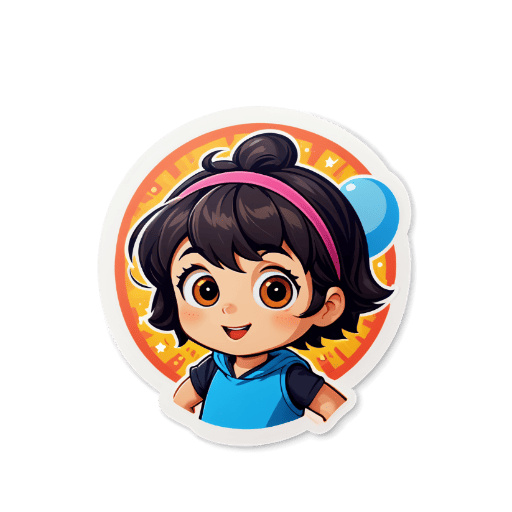
How to Create Die-Cut Stickers
Upload or Generate
Upload your photo or use AI to generate a sticker from a text prompt.
Choose Shape
Select a die-cut shape or let AI automatically detect the best shape for your sticker.
Customize
Adjust style, add effects, and fine-tune your sticker design.
Export
Download as transparent PNG with die-cut shape.
Key Features
Shape-Following Cutlines
Our AI traces the exact outline of your design to generate precise die-cut cutlines — the sticker shape follows every curve and contour of your artwork.
AI-Generated Designs
Describe your ideal sticker in text and our AI generates the artwork plus the die-cut shape automatically — no design software needed.
Photo to Die-Cut
Upload any photo and AI removes the background and creates a custom-shaped die-cut sticker following the silhouette of your subject.
Print-Ready Files
Export high-resolution transparent PNGs optimized for professional sticker printers and print-on-demand services.
Bulk Creation
Create multiple die-cut sticker designs in a single session — perfect for building sticker sheets or product lines for sale.
Free Daily Credits
Generate die-cut sticker designs with free daily AI credits. Buy a credit pack only when you need more generations.
Die-cut stickers are among the most premium-looking sticker types available — they're cut precisely to the shape of the design rather than being square or rectangular, giving them a professional, polished appearance. Traditionally creating die-cut stickers required access to expensive cutting equipment or working with a print shop. With Sticker Crafter, you can design the artwork digitally and download a print-ready transparent PNG file that any professional sticker printer or print-on-demand service can produce. The AI automatically handles background removal and shape detection, so the cutline follows the exact silhouette of your design. Whether you're creating stickers to sell on Etsy, designing merchandise, or making custom labels for products, die-cut stickers stand out from ordinary rectangular stickers and command higher perceived value.
Who Uses This Tool
Etsy Sticker Business
Create die-cut sticker designs to sell as physical products on Etsy. Die-cut stickers command premium prices and are consistently top-selling items in sticker shops.
Merchandise Design
Design branded die-cut stickers featuring your logo, mascot, or product art as promotional merchandise or add-on products for your business.
Custom Product Labels
Create die-cut stickers to use as custom labels for handmade products, packaging, or gifts — a professional touch that elevates the unboxing experience.
Event & Party Favors
Design themed die-cut stickers for weddings, birthday parties, or corporate events as personalized favors or decorative elements.
Example Die-Cut Stickers

Frequently Asked Questions❓
A die-cut sticker is a sticker that is cut to a custom shape, following the outline of the design rather than being square or rectangular.
Our tool automatically detects the best shape for your sticker and creates a die-cut outline. You can also manually adjust the shape.
Yes! Upload any photo and our AI will automatically create a die-cut shape based on your design.
Die-cut stickers are exported as transparent PNG files, which can be used for printing or digital use.
You can use your transparent PNG file with any professional sticker printer, print-on-demand services like Printful or Printify, or local print shops that offer custom die-cut stickers.