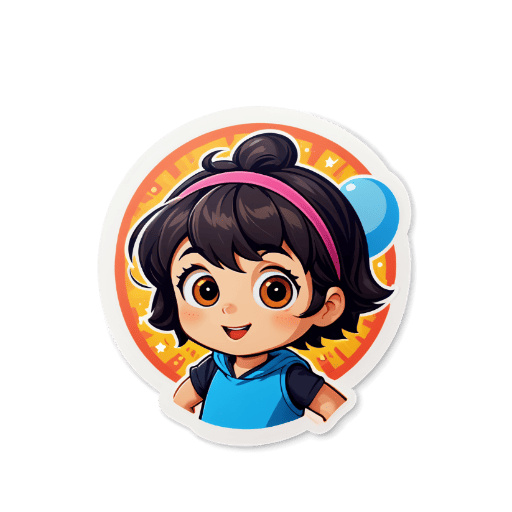
Upload or Generate
Upload your photo or use AI to generate a sticker from a text prompt.
Choose Print Size
Select the size for printing (small, medium, large, or custom dimensions).
Customize
Adjust colors, add effects, and fine-tune your printable sticker design.
Export
Download as high-resolution PNG optimized for printing.
Key Features
High-Resolution Export
Our tool generates sticker artwork at high resolution — export crisp, detailed PNG files optimized for home printing or professional print services.
Any Design Style
Create printable stickers in kawaii, chibi, anime, vintage, cartoon, or realistic styles — AI generates artwork optimized for physical print quality.
Photo to Printable Sticker
Upload any photo and convert it to a stylized sticker design with transparent background — perfect for printing on sticker sheets at home.
Print-on-Demand Compatible
Files work seamlessly with Redbubble, Printful, Printify, and other POD services. Upload and start selling physical sticker designs immediately.
Die-Cut Ready
Create transparent PNG designs that professional printers can use for die-cut sticker production — ideal for Etsy shops and small sticker businesses.
Free Daily Credits
Generate printable sticker designs with free daily credits. Credit packs are available for higher-volume creation.
Printable stickers bridge the gap between digital creativity and physical product — you design them digitally and then print them at home or with a professional service. Sticker Crafter makes it easy to generate unique printable sticker designs without any graphic design experience. Simply describe your sticker idea, choose an art style, and download a high-resolution PNG file ready for printing. For the best home printing results, print on dedicated sticker paper (matte or glossy, depending on your preference) using an inkjet or laser printer. You can arrange multiple stickers on a single sheet to minimize waste. For professional results, services like Sticker Mule, StickerApp, or local print shops offer die-cut sticker printing from your PNG files. If you're building a sticker business, the same designs work for print-on-demand platforms like Redbubble, where you list the design and the platform handles printing and shipping when customers order.
Who Uses This Tool
Home Sticker Printing
Design and print your own sticker sheets at home using sticker paper and a standard inkjet printer — custom stickers for journaling, planning, or gifting.
Etsy Sticker Shop
Create original sticker designs to sell as digital downloads on Etsy. Customers buy, download, and print themselves — you earn without inventory or shipping costs.
Print-on-Demand Business
Upload sticker designs to Redbubble, TeePublic, or Society6 as sticker products. The platform prints and ships when orders come in — passive income from your designs.
Event & Party Stickers
Design themed sticker sheets for weddings, birthdays, baby showers, or corporate events — printed as favors, decorations, or personalized gifts for attendees.
Frequently Asked Questions❓
For best print quality, stickers should be at least 300 DPI. Our tool exports high-resolution PNG files suitable for printing.
Use sticker paper or vinyl sticker paper for best results. Matte or glossy finishes are both suitable.
Yes! Our printable stickers can be printed on any standard printer using sticker paper.
Yes! You can sell printed stickers at markets, in local shops, or through your own website. For online selling, platforms like Etsy or print-on-demand services are ideal.
Download the transparent PNG file and upload it to professional sticker printing services like Sticker Mule, StickerApp, or Vistaprint. Most accept PNG files for sticker orders.